
The document describes how to set up and operate a Dell computer.
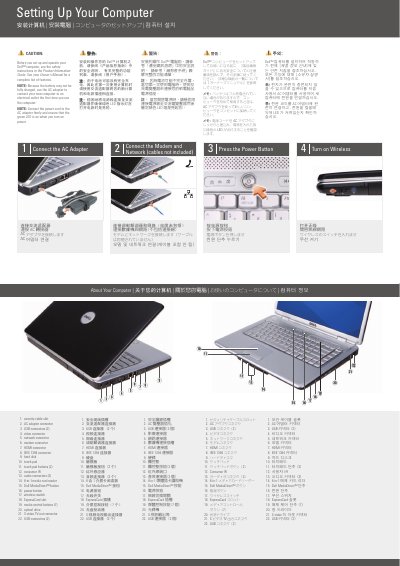
This guide covers initial setup for the Dell Inspiron 1525/1526 laptop, including connecting the AC adapter, modem and network cables, pressing the power button, and turning on wireless.
It also lists the locations of ports, buttons, and components such as USB connectors, HDMI, media control buttons, and the ExpressCard slot, and refers users to the Owner's Manual and Dell support website for more information.
| USB connectors | 2 |
|---|---|
| Audio connectors | 3 |
| Media control buttons | 7 |
| Model | Inspiron 1525/1526 |
Connect the power cord to the AC adapter firmly and ensure that the green LED is on when you turn on power.
See the Owner's Manual, or click the Documentation and Support icon on the desktop or go to support.dell.com.
See the safety instructions in the Product Information Guide.
Yes, the guide includes a Wireless Network (Optional) section.