
Dell laptop quick start guide.
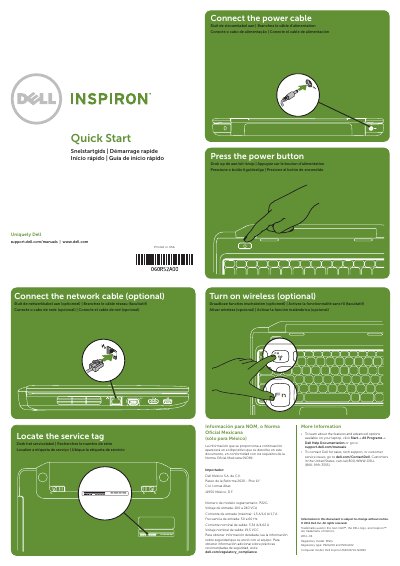
This quick start guide helps set up the Dell Inspiron M4040/14-N4050 laptop by connecting the network and power cables, locating the service tag, optionally turning on wireless, and pressing the power button.
It also lists 25 laptop features and ports, provides Dell support contact information, and includes regulatory and electrical information for the computer.
| Regulatory model | P22G |
|---|---|
| Regulatory type | P22G001 and P22G002 |
| Computer model | Dell Inspiron M4040/14-N4050 |
| Input voltage | 100 to 240 VAC |
| Input current (maximum) | 1.5 A/1.6 A/1.7 A |
| Input frequency | 50 to 60 Hz |
| Output current | 3.34 A/4.62 A |
| Output voltage | 19.5 VDC |
Click Start, then All Programs, then Dell Help Documentation, or visit support.dell.com/manuals.
Go to dell.com/ContactDell; customers in the United States can call 800-WWW-DELL (800-999-3355).
The regulatory model is P22G.