
The Dell computer setup guide describes how to connect the keyboard and mouse, network, modem, and power cords, as well as how to install the batteries and use the remote control.
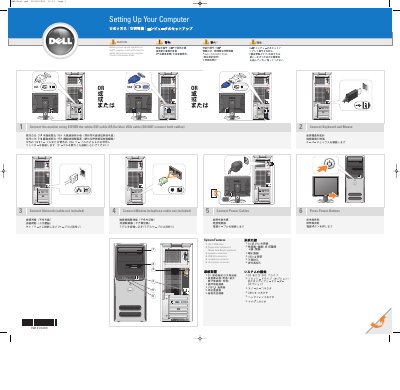
This document provides step-by-step instructions for setting up a Dell Dimension computer. It details how to connect essential peripherals such as the keyboard, mouse, monitor, and network cables, as well as power cables. Users are advised to consult the computer Product Information Guide for safety instructions before beginning.