
Dell 0MW452A00 Computer Quick Start Guide

Quick Start Guide for Dell Computers
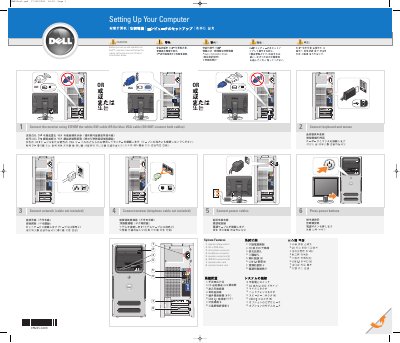

Dell 0MW452A00 Computer Quick Start Guide - cover page
Brand
DELL
Category
Desktops
Document type
Quick Start Guide
Language
English
Pages
2
File format
PDF
File size
3.8 MB
Published
20 November, 2023
Updated
20 November, 2023
MD5 checksum
2C6158FCD71C4BD488F1ED3EAC3CDA7A

About this manual

This guide provides the initial setup steps for the Dell 0MW452A00 computer. It instructs users to connect the keyboard, mouse, network, modem, and power cables before pressing the power button. It also details how to connect the monitor using either a DVI or VGA cable, but not both simultaneously.

What's inside

  • Setting Up Your Computer
  • System Features
  • Wireless Network
  • Finding Answers

Frequently asked questions

What cables should I use to connect the monitor?

You must connect the monitor using either the white DVI cable or the blue VGA cable, but you should not connect both cables.

What safety step must be taken before setting up the computer?

Before setting up and operating the computer, you must read and follow the safety instructions in the Product Information Guide.

Where can I find setup instructions?

For additional setup instructions, you should see your Owner's Manual.

Download PDF (3.8 MB)

More DELL Manuals


View all DELL manuals →