
This document describes the steps to set up a Dell computer, including connecting a monitor, keyboard, and mouse, and connecting the computer and monitor to power outlets.
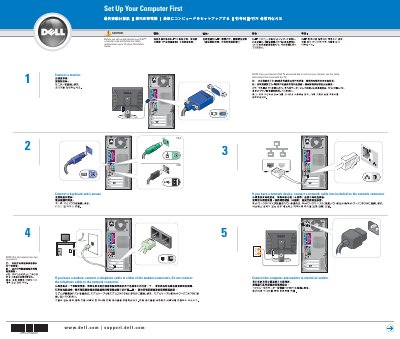
This guide provides initial setup instructions for a Dell computer. It details how to connect essential peripherals such as a monitor, keyboard, mouse, and electrical power. It also covers connecting optional devices like modems, network cables, and speakers, while noting specific warnings about telephone cables and TV monitors.