
The Dell™ Dimension™ 9150 User's Manual provides information on how to use the Dell™ Dimension™ 9150 computer.
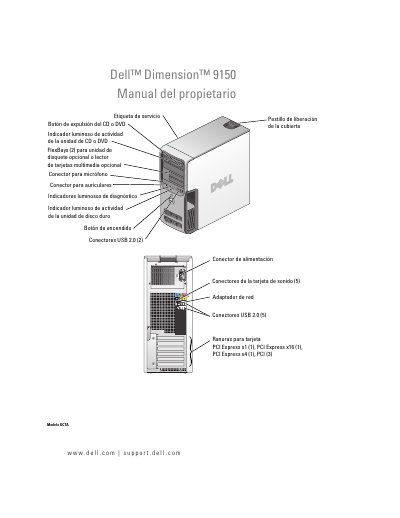
This document is the Spanish user manual for the Dell Dimension 9150 desktop computer. It provides comprehensive instructions for setting up the system, including connecting peripherals like printers, monitors, and network adapters. The guide details how to configure the computer for various uses, such as playing CDs and DVDs, managing power settings, and configuring RAID options. This manual is written in Spanish.
| Model | DCTA |
|---|---|
| Hard Drive Bay | 2 |
| PCI Express x1 Slots | 1 |
| PCI Express x16 Slots | 1 |
The service model number is DCTA.
The service tag is located on the service label adhered to the computer.
Instructions for replacing the battery are found in Chapter 4, section 7.