
Dell Latitude 15 3000 Series Laptop Quick Start Guide

The Dell Latitude 15 3000 Series laptop quick start guide.
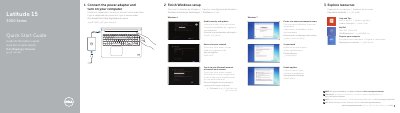

Dell Latitude 15 3000 Series Laptop Quick Start Guide - cover page
Brand
DELL
Category
Laptops
Document type
Quick Start Guide
Language
English
Pages
2
File format
PDF
File size
268 KB
Published
20 November, 2023
Updated
20 November, 2023
MD5 checksum
791B6C3668857DF595FD606C512A0053

About this manual

This guide helps set up the computer by connecting the power adapter, completing Windows setup, enabling security and updates, connecting to a network, and creating user and computer names.

It also identifies the laptop's external features and provides links for Dell product support, manuals, and contact information.

What's inside

  • Connect the power adapter and turn on your computer
  • Finish Windows setup
  • Enable security and updates
  • Connect to your network
  • Create user name and computer name
  • Set password
  • Enable updates
  • Explore resources
  • Features
  • Product support and manuals

Specifications

USB 3.0 connectors2
USB 2.0 connector1
Fingerprint readerOptional

Frequently asked questions

Where can I find the Owner's Manual?

For more information, see the Owner's Manual at dell.com/support/manuals.

Where can I get product support and manuals?

Product support and manuals are available at dell.com/support and dell.com/support/manuals.

How do I contact Dell?

Contact Dell at dell.com/contactdell.

Download PDF (268 KB)

More DELL Manuals


View all DELL manuals →