
Dell J-SRX210 Services Gateway Quick Start Guide

The Dell PowerConnect J-Series J-SRX210 Services Gateway Quick Start Guide introduces the features and specifications of the product.
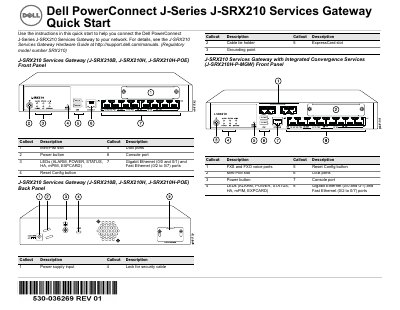

Dell J-SRX210 Services Gateway Quick Start Guide - cover page
Brand
DELL
Category
Network Tools
Document type
Quick Start Guide
Language
English
Pages
73
File format
PDF
File size
5.3 MB
Published
20 November, 2023
Updated
20 November, 2023
MD5 checksum
3158A2B2CE9E8FCF9B1DA5C48DF9A012

About this manual

This Quick Start Guide provides instructions for connecting the Dell PowerConnect J-Series J-SRX210 Services Gateway to a network. It covers physical setup steps including grounding, power connection, and connecting a management device via Ethernet or console port. The guide details how to verify LED status and wait for the device to boot.

What's inside

  • Connecting the Services Gateway to Earth Ground
  • Connect the Power Cable to the Device
  • Connect the Management Device
  • Understand the Default Configuration Settings
  • Ensure That the Management Device Acquires an IP Address
  • Ensure that an IP Address is Assigned to the Services Gateway
  • Access the J-Web Interface
  • Configure the Basic Settings
  • Apply the Basic Configuration
  • Verify the Configuration

Specifications

DDR Memory512 MB (J-SRX210B)
DDR Memory1 GB (J-SRX210H)
Power over Ethernet50 watts across 4 ports
DHCP Server IP192.168.1.1/24

Frequently asked questions

What is the default IP address for the management device?

The management device should acquire an IP address on the 192.168.1/24 subnetwork, other than 192.168.1.1.

What are the default login credentials for the J-Web interface?

The default user name is root, and the Password field should be left empty.

How long does it take for the device to boot up?

You must allow the device between 5 and 7 minutes to boot up after powering it on.

Which ports support Power over Ethernet (PoE)?

The J-SRX210H-POE and J-SRX210H-P-MGW models support PoE across ports ge-0/0/0, ge-0/0/1, fe-0/0/2, and fe-0/0/3.

Download PDF (5.3 MB)

More DELL Manuals


View all DELL manuals →