
Dell P51F Laptop Quick Start Guide

Dell P51F Laptop Quick Start Guide
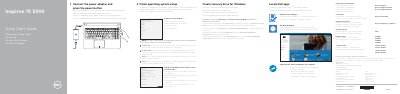

Dell P51F Laptop Quick Start Guide - cover page
Brand
DELL
Category
Laptops
Document type
Quick Start Guide
Language
English
Pages
2
File format
PDF
File size
187 KB
Published
20 November, 2023
Updated
20 November, 2023
MD5 checksum
FEE8383D86EEC7D5259007CF871C1A14

About this manual

This Quick Start Guide covers the initial setup steps for the Dell P51F laptop. It details how to connect the power adapter, press the power button, and complete the operating system setup. The guide also explains how to connect to a network and create a recovery drive for Windows.

What's inside

  • Connect the power adapter
  • Finish operating system setup
  • Connect to your network
  • Sign in to your Microsoft account
  • Create recovery drive for Windows
  • Features
  • Shortcut keys

Specifications

Input Voltage100 V CA–240 V CA
Input Frequency50 Hz–60 Hz
Output Voltage19,50 V DC

Frequently asked questions

What should I do if I am connecting to a secured wireless network?

Enter the password for the wireless network access when prompted.

How do I create a recovery drive for Windows?

In Windows search, type Recovery, click Create a recovery drive, and follow the instructions on the screen.

Download PDF (187 KB)

More DELL Manuals


View all DELL manuals →