
Dell Inspiron 15 7000 Series Quick Start Guide

This document is a quick start guide for Dell computers, which introduces how to set up and use a Dell computer.
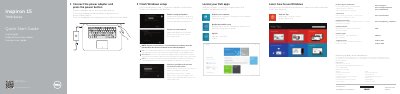

Dell Inspiron 15 7000 Series Quick Start Guide - cover page
Brand
DELL
Category
Laptops
Document type
Quick Start Guide
Language
English
Pages
2
File format
PDF
File size
418 KB
Published
20 November, 2023
Updated
20 November, 2023
MD5 checksum
113BACE882A919564049575A6393807D

About this manual

This document serves as a quick start guide for the Dell Inspiron 15 7000 Series laptop, specifically the Inspiron 7547 model. It provides instructions for finishing the Windows setup, connecting the power adapter, and registering the computer. The guide also directs users to Dell support for further assistance.

What's inside

  • Finish Windows setup
  • Connect the power adapter
  • Register your computer
  • Backup and Recovery
  • Product support and manuals
  • Features
  • Shortcut keys

Frequently asked questions

What steps are required to start the computer?

To start the computer, you must connect the power adapter and press the power button.

What voltage range does the power adapter support?

The power adapter supports an input voltage of 100 V CA–240 V CA.

What is the output voltage of the power adapter?

The power adapter provides an output voltage of 19,50 V DC.

Download PDF (418 KB)

More DELL Manuals


View all DELL manuals →