
Dell Latitude 14 7000 Series Notebook Quick Start Guide.
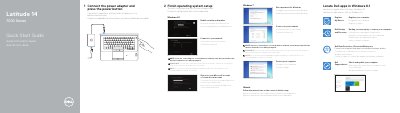
The guide shows how to connect the power adapter, press the power button, and finish operating system setup for Windows 8.1, Windows 7, or Ubuntu. It also identifies notebook features and ports and lists product support and manual resources.
Regulatory details include regulatory model P61G, regulatory type P61G001, computer model Latitude 14-7470/E7470, and input/output electrical ratings. Support resources are listed at Dell.com/support.
| Regulatory model | P61G |
|---|---|
| Regulatory type | P61G001 |
| Computer model | Latitude 14-7470/E7470 |
| Input voltage | 100 V AC-240 V AC |
| Input current (maximum) | 2.5 A |
| Input frequency | 50 Hz-60 Hz |
| Output current | 3.34 A-4.62 A |
| Output voltage | 19.5 V DC |
Enter the password for the wireless network access when prompted.
Follow the instructions on the screen to finish setup.
Dell lists support resources at Dell.com/support, Dell.com/support/manuals, Dell.com/support/windows, and Dell.com/support/linux.