
Dell Venue 11 Pro Quick Start Guide

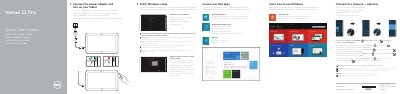
The Venue 11 Pro Quick Start Guide provides instructions on how to connect the power adapter, finish Windows setup, connect to a network, and sign in to or create an account.

Dell Venue 11 Pro Quick Start Guide - cover page
Brand
DELL
Category
Tablets
Document type
Quick Start Guide
Language
English
Pages
2
File format
PDF
File size
205 KB
Published
19 November, 2023
Updated
19 November, 2023
MD5 checksum
95BE06D867B24B829CE822B1C90C083E

About this manual

This document serves as a multilingual Quick Start Guide for the Dell Venue 11 Pro tablet. It outlines the initial setup process, which involves connecting the power adapter, completing the Windows setup, and connecting to a network. The guide also instructs users on how to sign in to their account, create a new one, and locate their Dell apps.

What's inside

  • Connect the power adapter
  • Finish Windows setup
  • Connect to your network
  • Sign in to your account
  • Locate your Dell apps
  • Register My Device
  • Features
  • Product support and manuals

Specifications

Regulatory modelT07G
Regulatory typeT07G002
Computer modelVenue 7140

Frequently asked questions

What is the regulatory model for this device?

The regulatory model is T07G.

How do I connect to a secured wireless network?

Enter the password for the wireless network access when prompted.

Download PDF (205 KB)

More DELL Manuals


View all DELL manuals →