
Dell Inspiron 14-3441/3442/3443 Notebook Quick Start Guide

Dell Inspiron 14-3441/14-3442/14-3443 Notebook Quick Start Guide
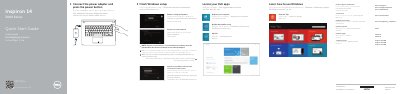

Dell Inspiron 14-3441/3442/3443 Notebook Quick Start Guide - cover page
Brand
DELL
Category
Laptops
Document type
Quick Start Guide
Language
English
Pages
2
File format
PDF
File size
340 KB
Published
19 November, 2023
Updated
19 November, 2023
MD5 checksum
407BD621775E862DF1BD2A07702928B2

About this manual

This document serves as a quick start guide for the Dell Inspiron 14-3441, 14-3442, and 14-3443 notebook computers. It provides multilingual instructions for finishing the Windows setup, connecting the power adapter, registering the computer, and accessing support resources. The guide also includes steps for backing up data and contacting Dell support.

What's inside

  • Finish Windows setup
  • Connect the power adapter
  • Register your computer
  • Dell Backup and Recovery
  • Product support and manuals
  • Contact Dell
  • Regulatory and safety
  • Features
  • Shortcut keys

Specifications

Copyright year2014

Frequently asked questions

Where can I find more information about specifications?

For more information, see Specifications at dell.com/support.

What should I do if I connect to a secured wireless network?

Enter the password for the wireless network access when prompted.

Download PDF (340 KB)

More DELL Manuals


View all DELL manuals →