
Dell OptiPlex 3050 Micro Desktop Quick Start Guide

OptiPlex 3050 Micro Desktop Quick Start Guide
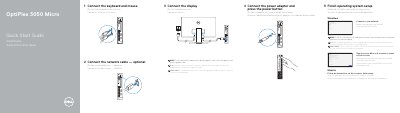

Dell OptiPlex 3050 Micro Desktop Quick Start Guide - cover page
Brand
DELL
Category
Desktops
Document type
Quick Start Guide
Language
English
Pages
2
File format
PDF
File size
450 KB
Published
19 November, 2023
Updated
19 November, 2023
MD5 checksum
22B47BE142E440E4B6D71FA71E2E0C75

About this manual

This quick start guide provides step-by-step instructions for setting up the Dell OptiPlex 3050 Micro desktop computer. It covers connecting the keyboard, mouse, network, display, and power, as well as completing the Windows or Ubuntu operating system setup. The guide also includes a labeled diagram of the computer's ports and features, along with links to Dell support and regulatory compliance information.

What's inside

  • Initial setup and peripheral connection
  • Operating system setup
  • Port and feature layout
  • Support and regulatory information

Specifications

Display portsVGA, Serial, PS/2, or DisplayPort (optional)

Frequently asked questions

Where should I connect the display if my computer has a discrete graphics card?

Connect the display to the discrete graphics card rather than the motherboard ports.

How do I connect to a secured wireless network during setup?

Enter the wireless network password when prompted.

Download PDF (450 KB)

More DELL Manuals


View all DELL manuals →