
Dell Venue 10 7040 Tablet Quick Start Guide

Quick Start Guide for Dell Venue 10 Tablet.
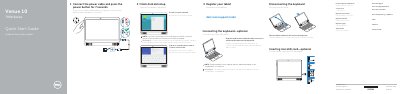

Dell Venue 10 7040 Tablet Quick Start Guide - cover page
Brand
DELL
Category
Tablets
Document type
Quick Start Guide
Language
English
Pages
2
File format
PDF
File size
457 KB
Published
19 November, 2023
Updated
19 November, 2023
MD5 checksum
FF3B16C52324D56AE57D0EC39B30483D

About this manual

This quick start guide helps set up the Dell Venue 10 7040 tablet, including connecting power, completing Android setup, registering the tablet, inserting an optional microSD card, connecting or disconnecting the optional keyboard, connecting to a network, and signing in to a Google account.

It also identifies tablet features and modes, lists keyboard shortcut keys, and notes that the keyboard may already be paired with the tablet depending on configuration.

What's inside

  • Connecting power and starting Android setup
  • Registering the tablet
  • Inserting an optional microSD card
  • Connecting the optional keyboard
  • Disconnecting the keyboard
  • Connecting to a network
  • Signing in to a Google account
  • Tablet features and modes
  • Keyboard shortcut keys

Specifications

Regulatory modelT13G
Regulatory typeT13G001
Tablet modelVenue 10 7040

Frequently asked questions

How long should I press the power button after connecting the power cable?

Press the power button for 7 seconds.

How do I connect the optional keyboard?

Align the keyboard slots with the tablet connectors and insert the tablet into the keyboard.

How do I disconnect the keyboard?

Turn the tablet outward to disconnect the keyboard.

Is a keyboard always included with the tablet?

A keyboard may not be shipped with the tablet depending on the configuration ordered.

Download PDF (457 KB)

More DELL Manuals


View all DELL manuals →