
Inspiron 14 5000 Series Notebook Quick Start Guide

Inspiron 14 5000 Series Notebook Quick Start Guide.
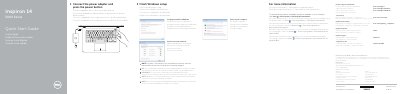

Inspiron 14 5000 Series Notebook Quick Start Guide - cover page
Brand
DELL
Category
Laptops
Document type
Quick Start Guide
Language
English
Pages
2
File format
PDF
File size
186 KB
Published
19 November, 2023
Updated
19 November, 2023
MD5 checksum
A82B6074E2941F245E08712144411203

About this manual

This document serves as a Quick Start Guide for the Dell Inspiron 14-5459 notebook. It outlines the initial steps to get the device running, including connecting the power adapter, pressing the power button, and completing the Windows setup process. It also provides instructions for setting up a password and connecting to a network.

What's inside

  • Connect the power adapter
  • Finish Windows setup
  • Set up password for Windows
  • Connect to your network
  • Protect your computer
  • Features
  • Shortcut keys
  • Regulatory and safety

Frequently asked questions

What steps must be taken to start the computer?

Connect the power adapter and press the power button.

What voltage range is required for the power adapter?

The computer requires a power supply of 100 V CA–240 V CA.

What is the frequency range for the power adapter?

The power adapter operates at a frequency of 50 Hz–60 Hz.

Download PDF (186 KB)

More DELL Manuals


View all DELL manuals →