
Dell Inspiron 24-5459 Quick Start Guide
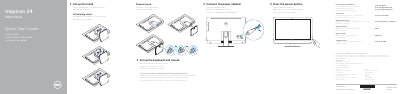
This document serves as a multilingual quick start guide for the Dell Inspiron 24-5459 computer. It provides step-by-step instructions for connecting the power adapter, setting up the keyboard and mouse, and assembling the optional pedestal or articulating stand. The guide also covers the initial steps for setting up Windows, including password creation and network connection.
| Power Input Voltage | 100 V CA–240 V CA |
|---|---|
| Power Input Frequency | 50 Hz–60 Hz |
| Power Input Current | 2,50 A |
| Power Output Voltage | 19,50 V DC |
| Power Output Current | 4,62 A/6,70 A |
| USB 3.0 Ports | 2 |
| USB 2.0 Ports | 4 |
The computer can be set up with either a pedestal stand or an articulating stand.
Enter the password for the wireless network access when prompted during setup.