
Dell Inspiron 5000 Series Notebook Quick Start Guide
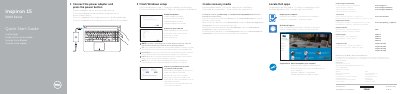
This quick start guide provides initial setup instructions for the Dell Inspiron 15 5000 Series notebook, specifically models Inspiron 15-5551, 15-5552, 15-5555, and 15-5558. It covers connecting the power adapter, completing the Windows setup, and registering the computer.
Additionally, the document includes a visual hardware features guide with numbered labels for ports and components, shortcut keys for audio and display control, and instructions for creating recovery media and locating Dell support resources.
| Computer models | Inspiron 15-5551, Inspiron 15-5552, Inspiron 15-5555, Inspiron 15-5558 |
|---|---|
| Regulatory model | P51F |
| Input voltage | 100 V AC – 240 V AC |
| Input frequency | 50 Hz – 60 Hz |
| Output voltage | 19.50 V DC |
| Output current | 2.31 A / 3.34 A |
This guide covers the Inspiron 15-5551, Inspiron 15-5552, Inspiron 15-5555, and Inspiron 15-5558 models.
Enter the password for the wireless network access when prompted.
In Windows search, type Recovery, click Create a recovery media, and follow the instructions on the screen.