
The TPD/VPD Series HMI Device User Manual describes the features and specifications of the TouchPAD series of products.
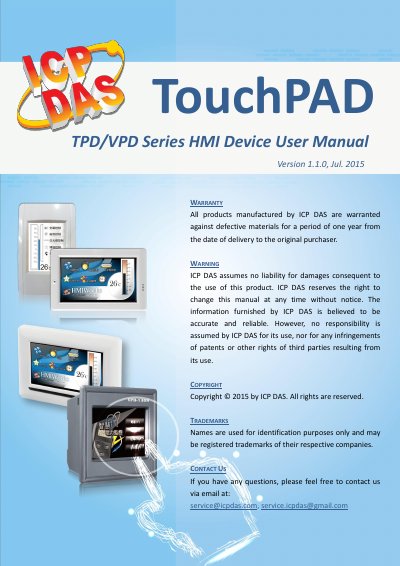
This user manual from ICP DAS covers the TPD/VPD Series TouchPAD HMI devices, including the TPD-280, TPD-430, TPD-703 and VPD-130 through VPD-143 model families. It explains the module naming convention, provides a selection guide with specifications for each model, and describes hardware details such as appearance, pin assignments, dimensions and wall mounting.
The manual also covers getting started with the free HMIWorks development software, powering the device via DC or PoE, downloading applications through RS-485, Ethernet and USB, touch screen calibration, and connecting to I/O devices via Modbus TCP, Modbus RTU and optional XV-board expansion boards. The TPD series targets home/building automation while the VPD series targets factory/machine automation with an IP65 front panel and rubber keypad.
| ESD Protection | 4 kV |
|---|---|
| Waterproofed Front Panel | VPD: IP65, TPD: IP40 |
| Operating temperature | -20 ~ 50 °C (2.8" TPD: -20 ~ 70 °C) |
| Communication interfaces | RS-232/RS-485, Ethernet, USB |
| TPD 2.8" resolution | 240 x 320 |
| TPD 4.3" resolution | 480 x 272 |
| TPD 7" resolution | 800 x 480 |
| VPD 3.5" resolution | 320 x 240 |
| Power input (TPD-280) | +10 ~ +30 VDC |
| Power input (VPD-130) | +12 ~ +48 VDC |
The free HMIWorks development tool is used to create projects and design graphical user interfaces, supporting the C language and Ladder Designer.
Applications can be downloaded through RS-485, Ethernet or the USB port, and MiniOS can also be updated through the USB port.
Depending on the model, the device is powered by a DC power supply or via Power over Ethernet (PoE).
The TPD series is designed for home/building automation applications, while the VPD series is designed for factory/machine automation with an IP65 front panel, rubber keypad and DIN-Rail/panel mounting.