
Key facts
- Manuals
- 6
- Languages
- ZH · EN
- Last added
- 2026-09-30
Featured icpdas manuals
ICP DAS I-7540D Ethernet to CAN Converter User Manual
This manual provides a complete overview of the I-7540D Ethernet to CAN converter, including its key features, hardware block diagram, connector pin definitions, and wiring for RS‑232, RS‑485, CAN and Ethernet interfaces. It also describes the built‑in self‑diagnostic functions and the LED indicators that help monitor power, CAN bus status, and the seven‑segment displays.
The document details the accompanying software utilities (I‑7540D Utility, MINIOS7 Utility, VXCOMM Utility), how to install drivers, set communication parameters such as IP address, baud rates, CAN acceptance code/mask, and how to use the provided command list. Troubleshooting steps, error codes, and procedures for establishing virtual COM ports are also included. This manual is written in Chinese.
Covers: Introduction · Features · Specifications · VXCOMM Technology · Hardware Overview · Connector Pin Definitions
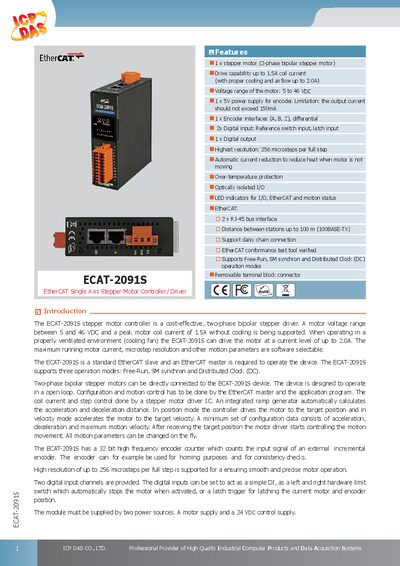
ICP DAS ECAT-2091S Stepper Motor Controller/Driver Datasheet
The ECAT-2091S is a compact EtherCAT‑slave stepper motor controller designed for industrial applications. It drives a two‑phase bipolar stepper motor with a voltage range of 5 V to 46 V DC and a peak coil current of 1.5 A (up to 2.0 A with proper cooling). The module offers high‑resolution microstepping up to 256 steps per full step, an integrated ramp generator, and optional encoder feedback for precise positioning.
Technical data include a 5 V encoder power supply (max 150 mA output), two digital inputs, one open‑collector digital output, and a 24 V DC control supply. The device measures 110 mm × 90 mm × 33 mm, operates from –25 °C to +40 °C, and communicates via two RJ‑45 EtherCAT ports supporting daisy‑chain connections up to 100 m.
Covers: Features · Model Specification · Hardware Specifications · Dimensions · Pin Assignments · Wire Connection
ICP DAS GW-7228 J1939/Modbus RTU Slave Gateway User Manual
The GW-7228 provides a gateway solution that converts data between J1939 and Modbus RTU networks. It supports PDU1, PDU2, broadcast and targeted J1939 messages, and operates as a Modbus RTU slave. The device includes LED indicators for power, J1939 and Modbus status, a built‑in watchdog, and selectable 120 Ω termination resistors.
The manual covers hardware wiring, CAN and serial port pin assignments, configuration of communication parameters via the GW‑7228 Utility, and detailed troubleshooting steps such as CAN bus failure indicators and factory reset procedures.
Covers: Introduction · Product Features · Specifications · Hardware Overview · Software Utility · Communication Networks
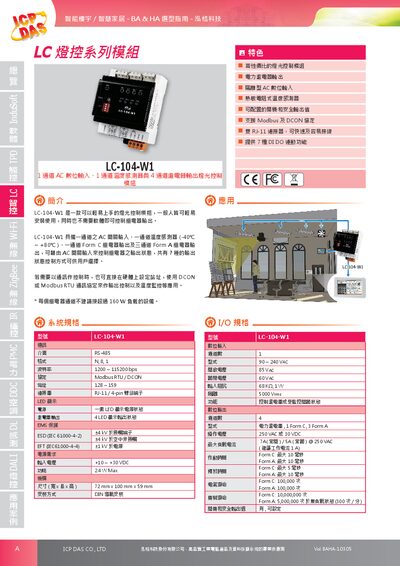
ICP DAS LC-104-W1 Lighting Control Module Datasheet
The LC-104-W1 is a compact DIN‑rail‑mountable lighting control module designed for smart building and home automation applications. It features a single AC digital input, a thermistor‑type temperature sensor, and four power relay outputs (one Form C and three Form A) that can be configured for seven different DI/DO control modes.
The module communicates via RS‑485 using Modbus RTU or DCON, and can be powered from +10 V to +30 V DC with a typical consumption of 2.4 W. It is built to industrial standards with EMI protection, ESD and EFT ratings, and operates in temperatures from –25 °C to +75 °C. This manual is written in Chinese.
Covers: Features · Specifications · Pin Assignment · Terminal Block Assignment · Operating Environment · Temperature Sensor
Latest icpdas manuals
ICP DAS I-7540D Ethernet to CAN Converter User Manual
User Manual 120 pages · 3.3 MB · ZHThe ICP DAS I-7540D manual explains hardware, software tools, configuration and troubleshooting for the Ethernet‑to‑CAN converter.
ICP DAS ECAT-2091S Stepper Motor Controller/Driver Datasheet
Datasheet 5 pages · 620 KB · ENThe ICP DAS ECAT-2091S is a cost‑effective two‑phase bipolar stepper motor controller/driver with EtherCAT interface, supporting up to 2 A coil current and…
ICP DAS GW-7228 J1939/Modbus RTU Slave Gateway User Manual
User Manual 47 pages · 1.7 MB · ENThe ICP DAS GW-7228 manual explains hardware, software setup, and troubleshooting for J1939 and Modbus RTU communication.
ICP DAS LC-104-W1 Lighting Control Module Datasheet
Datasheet 3 pages · 3 MB · ZHThe ICP DAS LC-104-W1 lighting control module provides one AC digital input, one temperature sensor and four relay outputs, and supports Modbus RTU and DCON…
ICP DAS XPAC-8000-CE6 Series Product Specification
Datasheet 4 pages · 741 KB · ZHThe ICP DAS XPAC-8000-CE6 series specification sheet details hardware features, communication protocols, dimensions, and power information.
ICP DAS MSM-508/FC/FCS/FT Industrial Ethernet Switch Quick Start Guide
Quick Start Guide 4 pages · 263 KB · ZHQuick Start Guide for initial setup, power connection, and network configuration of ICP DAS MSM series industrial Ethernet switches.
Which document do I need?
User Manual
Day-to-day operation, settings and troubleshooting. Start here if the product is already set up.
Datasheet
Ratings, dimensions and ordering codes, for selection and design work.
Quick Start Guide
The shortest path to a working setup, usually only a few pages.
Questions answered in icpdas manuals
How can I set the IP address of the I‑7540D?
Use the I‑7540D Utility to configure the network IP address, gateway and subnet mask.
What is the default IP address of the I‑7540D?
The default IP address is 192.168.255.2.
What motor voltage range does the ECAT-2091S support?
It supports motor voltages from 5 V to 46 V DC.
From: ICP DAS ECAT-2091S Stepper Motor Controller/Driver Datasheet
How many microsteps per full step can be configured?
The controller can be set for up to 256 microsteps per full step.
From: ICP DAS ECAT-2091S Stepper Motor Controller/Driver Datasheet
What does a flashing PWR LED indicate on the CAN bus?
If the PWR LED flashes every 100 ms, it indicates a CAN bus transmission failure.
From: ICP DAS GW-7228 J1939/Modbus RTU Slave Gateway User Manual
How can I change the Modbus network ID?
The Modbus network ID (1‑250) can be set using the GW‑7228 Utility software.
From: ICP DAS GW-7228 J1939/Modbus RTU Slave Gateway User Manual