
This document describes the setup guide for the GeneBLAzer® compatible microplate reader on the Molecular Devices FlexStation® microplate reader.
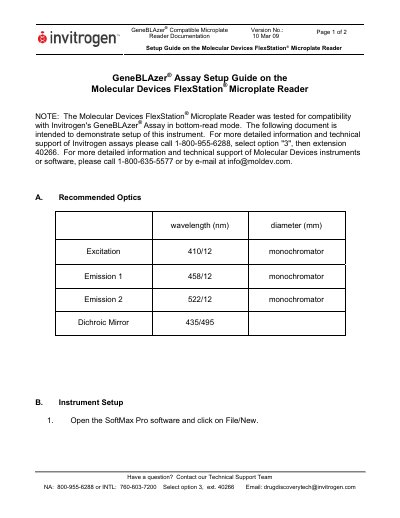
This two-page setup guide covers recommended optics and initial software steps for using an Invitrogen GeneBLAzer assay on a Molecular Devices FlexStation microplate reader.
It states that the reader was tested in bottom-read mode, lists excitation, emission, and dichroic mirror settings, and reminds users to select bottom read for measurements.
| Excitation wavelength | 410/12 monochromator |
|---|---|
| Emission 1 wavelength | 458/12 monochromator |
| Emission 2 wavelength | 522/12 monochromator |
| Dichroic mirror | 435/495 |
| Read mode | Bottom read |
Bottom-read mode.
Open the SoftMax Pro software and click on File/New.
Bottom read must be selected for measurements.