
This is a user guide for NetComm Smart Hub 4G, which introduces the features and functions of the device
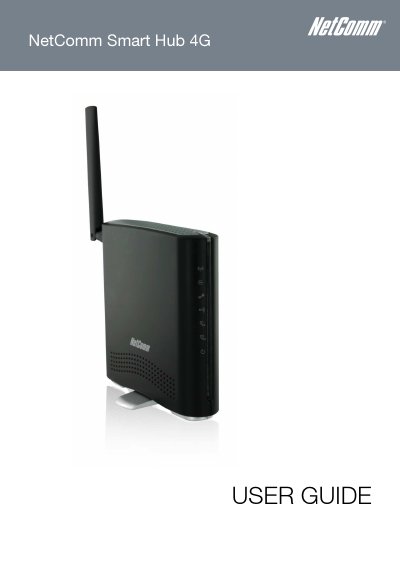
The NetComm Smart Hub 4G (3G38WV-TS) is an HSPA+ Wi-Fi router with voice. It creates a Wi-Fi network for Internet access for up to 15 users and supports simultaneous phone service over the TELUS 4G network. It includes a WLAN 802.11b/g/n access point, one 10/100Mbps Ethernet port, one 10/100Mbps Ethernet WAN port and two phone ports.
This user guide covers the installation, operation and utilization of the hub, including package contents, LED indicators and interfaces, default settings, safety and product care, hardware installation, the Simple Configuration Wizard, management console, advanced features, telephone calls, technical data and FAQ.
| Cellular capability | Quad-Band HSPA+ |
|---|---|
| Downlink/uplink speeds | Up to 21Mbps downlink, 5.76Mbps uplink |
| Wireless standard | 802.11n/300Mbps, backward compatible with 802.11b/g |
| LAN Ethernet port | 1 x 10/100 LAN Ethernet port |
| WAN Ethernet port | 1 x WAN Ethernet port for optional alternate Internet connectivity |
| Voice ports | 2 x Voice ports (circuit-switched) |
| Internal Wi-Fi antennas | 2 |
| Maximum Wi-Fi users | Up to 15 users |
| Dimensions | Length 133 mm, height 137 mm, width 34 mm |
| Weight | 250 grams |
| Power adapter | DC 12V 1.5A |
| Default LAN IP address | 192.168.20.1 |
| Default APN | isp.telus.com |
The hub locks itself to that SIM card; a firmware upgrade or factory reset will not affect the SIM lock.
Up to 15 users can access the Internet through the NetComm Smart Hub 4G.
The default username and password are both admin.
The default LAN IP address is 192.168.20.1.