
The D-Link DCS-825L Wireless HD Baby Monitor is a network camera that supports the mydlink™ Baby App, and features full HD (1080p) resolution, day and night vision, and two-way audio, so you can see and hear your baby at any time, from anywhere using your mobile device or computer.
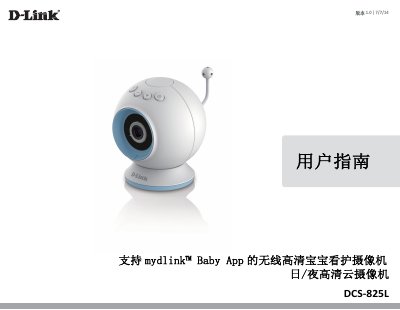
This user guide explains how to install and use the D-Link DCS-825L wireless HD baby monitor. It covers hardware setup, connecting via Wi-Fi or mobile networks, using the mydlink Baby App for live viewing and recordings, and safety precautions. The guide also includes troubleshooting tips for common issues like forgotten passwords or focus problems.
The monitor features night vision, temperature sensing, audio recording, and lullaby playback. It can be mounted on walls or placed on a desk, with safety warnings about keeping cords away from infants. Remote access is possible via the internet using the mydlink service. This manual is written in Chinese.
| Video Resolution | HD |
|---|---|
| Night Vision | Infrared LED |
| Temperature Sensor | Built-in |
| Storage | microSD card slot |
| Power Supply | AC adapter or USB power |
Press and hold the reset button for 6 seconds while the camera is powered on. This will restore factory settings.
Turn the white focus ring on the front of the camera to adjust the focus.
Rotate the ring counterclockwise to remove it, place the new ring on, and rotate clockwise until it clicks into place.
Set up a new mydlink account during initial setup, then log in via the mydlink login button on the home page. With an internet connection, you can view the camera from anywhere.