
This user manual covers the setup, configuration, and troubleshooting of the D-Link DIR-867 AC1750 MU-MIMO Wi-Fi Gigabit Router.
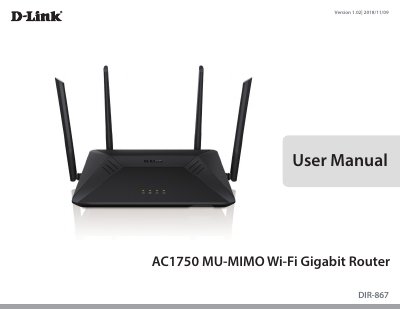
The D-Link DIR-867 is a high-performance AC1750 router featuring MU-MIMO technology for improved data rates and coverage. It includes four external antennas, one Gigabit WAN port, and four Gigabit LAN ports to support up to 1750+ Mbps combined wireless speeds.
| Wireless Interface (2.4 GHz) | IEEE 802.11n/g/b |
|---|---|
| Wireless Interface (5 GHz) | IEEE 802.11 ac/n/a |
| LAN Ports | Four 10/100/1000 Mbps LAN ports |
| WAN Port | One 10/100/1000 Mbps WAN port |
| Antennas | Four external antennas |
| Power Input | 100 to 240 V AC, 50/60 Hz |
| Operating Temperature | 0 to 40 °C (32 to 104 °F) |
| Dimensions | L x W x H: 285x196x48mm |
You need a computer with Windows, Macintosh, or Linux-based operating systems and an installed Ethernet adapter.
Supported browsers include Internet Explorer 10+, Firefox 28+, Safari 6+, and Chrome 28+.
The device supports WPA/WPA2 Personal and Wi-Fi Protected Setup (WPS) PIN/PBC.