
This document describes how to configure the operating environment for the VHX-5000E digital microscope, including how to connect it to a network.
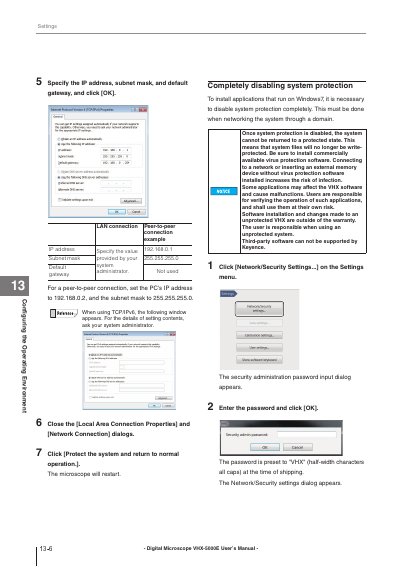
This manual explains how to configure the operating environment for the Keyence VHX-5000E digital microscope, including setting IP addresses, subnet masks, and default gateways. It also covers disabling system protection for Windows 7 compatibility and installing applications.
After disabling system protection, users can exit only the VHX application and configure network settings via Windows 7 functions. The system may prompt for login credentials when starting up, using ID 'VHX_Admin' and password 'VHXADMIN' for domain networking.
Set the PC's IP address to 192.168.0.2 and the subnet mask to 255.255.255.0.
The password is preset to "VHX" (half-width characters all caps) at the time of shipping.
Use ID: VHX_Admin and Pass: VHXADMIN for master domain login.