
Panasonic system configuration software user manual, introduces software installation methods and the setting methods of various devices.
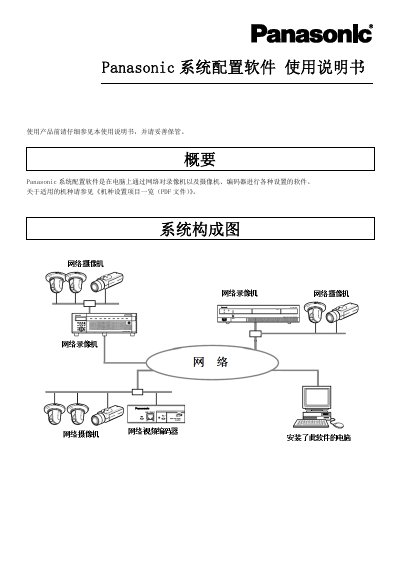
This manual explains how to install and use Panasonic's system configuration software to configure security devices like recorders, cameras, and encoders over a network. It covers system requirements, installation, user authentication, and troubleshooting. The software supports Windows 7, 8.1, and 10, requiring .NET Framework 4.6 and Visual C++ runtime.
The guide includes sections on connecting hardware, launching the software, managing user credentials, uploading settings, and software upgrades. It also provides security warnings and legal disclaimers regarding software use and liability. This manual is written in Chinese.
The software supports Microsoft Windows 10 Pro, Windows 8.1 Pro, and Windows 7 Professional.
You need 50MB of hard drive capacity to install the software.
The tool will pause its startup for security reasons.