
The Huawei WiFi Q2 Pro is a Tri-Band Gigabit router, using Huawei's latest WiFi 6 technology, with a maximum speed of 1.2Gbps.
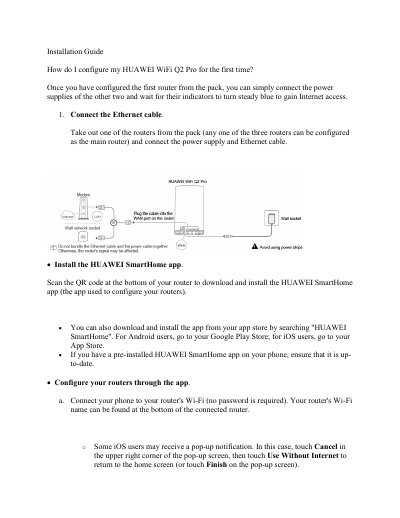
This guide explains how to set up the main router and connect secondary routers using the HUAWEI SmartHome app. It includes steps to configure Wi-Fi, enter broadband credentials, and synchronize all three routers for seamless home coverage.
The setup process requires connecting the router to power and Ethernet, installing the app via QR code or app store, and following the app’s wizard to complete configuration. All routers share the same Wi-Fi name and password, enabling automatic switching between routers for optimal signal strength.
Scan the QR code at the bottom of your router or download it from your app store by searching 'HUAWEI SmartHome'.
Yes, all three routers share the same Wi-Fi name and password for seamless switching.