
This is an evaluation board for AD5242 digital potentiometer, which supports single supply 2.7V to 5.5V operation, suitable for battery powered applications.
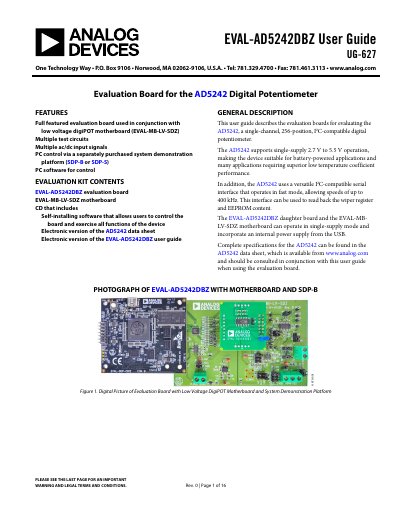
This document provides instructions for using the EVAL-AD5242DBZ evaluation board with the AD5242 digital potentiometer. It covers hardware setup, power supplies, test circuits, and software installation and operation. The board supports PC control via SDP-B or SDP-S platforms and includes multiple test configurations for evaluating the potentiometer's performance.
The guide includes schematics, component placement, and detailed descriptions of test circuits such as DAC, AC signal attenuation, and amplifier configurations. It also explains how to install and run the accompanying software for controlling the device via I2C interface.
| Device | AD5242 Digital Potentiometer |
|---|---|
| Operating Voltage | 2.7 V to 5.5 V |
| Interface | I2C-compatible, up to 400 kHz |
| Software Compatibility | Windows XP, Vista, Windows 7 (32-bit and 64-bit) |
It is a single-channel, 256-position, I2C-compatible digital potentiometer.
It supports single-supply 2.7 V to 5.5 V operation.
It can be controlled via PC using SDP-B or SDP-S platforms with accompanying software.
It includes evaluation board software compatible with Windows XP, Vista, and Windows 7 (32-bit and 64-bit).