
The Extech 421501 is a digital thermometer that measures temperatures from -58 to 2000 degrees Fahrenheit (-50 to 1300 degrees Celsius). It features a 3.5-digit LCD display and selectable C or F temperature units. The thermometer also has a water-resistant housing and a maximum temperature record mode.
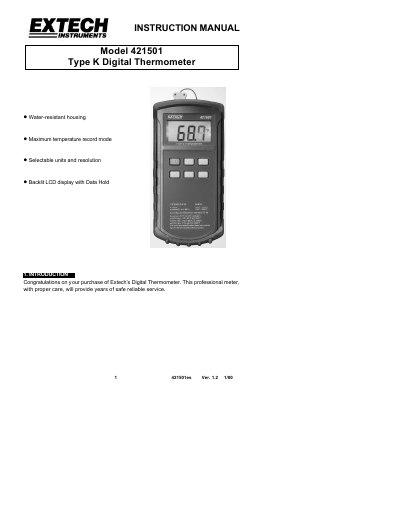
This is the user manual for the Extech 421501 Type K digital thermometer. It includes setup instructions, operation details, and specifications. The thermometer features a backlit LCD, selectable units and resolution, and a maximum temperature recording mode. It is water-resistant with a gasket-protected front panel and accepts standard miniature thermocouple connectors. The device runs on a 9V battery and has a typical battery life of 200 hours. Calibration and repair services are available through Extech’s customer service.
| Display | 3-1/2 digit LCD (2000 counts) |
|---|---|
| Battery Power Supply | NEDA 1604, IEC 6F22, or OO6P 9VDC battery |
| Battery Life | 200 hours typical with carbon zinc battery |
| Dimensions / Weight | 1.9" x 3.6" x 2.1" (192x91x52.5mm); 11. /0z. (365g) |
| Temperature Ranges/Resolution | -58 to 2000°F (-50 to 1300°C); 1 or 0.1°F/°C |
| Temperature Units | Selectable C or F temperature units |
| Accuracy | 0.3% rdg + 1°C for -50°C to 1000°C, 0.5% rdg + 1°C for 1000°C to 1300°C |
| Temperature Coefficient | 0.1 times the applicable accuracy specifications per °C from 0°C to 18°C and 28°C to 50°C |
| Water Resistant Housing | Yes |
| Input Protection | 24VDC or 24VAC mms max. input on any combination of inputs |
| Reading Rate | 2.5 times per second |
| Supplied Thermocouple | 4', type K, teflon insulation, max insulation temp: 260°C (500°F) |
| Ambient Operating Range | 32 to 122°F (0 to 50°C); less than 80% RH |
| Storage Temperature | -4 to 140°F (-20 to 60°C): less than 70% RH |
Press the "C" or "F" key to set the desired units.
Press the Backlight key to activate the LCD backlighting.
Press the "MAX" key to enter the Max mode. The meter records temperature peaks and displays the highest value up to that point.
Open the Battery Compartment at the rear of the instrument by removing the two rear meter screws. Remove the old battery, install a new one, and replace cover. Disconnect the thermocouple before removing the battery cover.