
The Extech 380942 True RMS AC/DC 30A Mini Clamp-on Meter is a clamp meter that supports AC and DC measurements up to 30A with a resolution of 0.1mA. It also features auto power off, zero adjustment, maximum and minimum hold, and data hold functions.
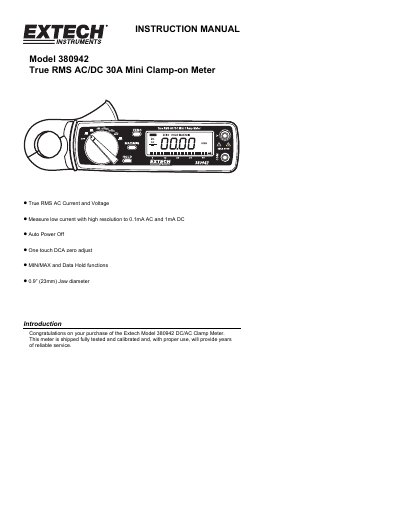
This user manual provides instructions for operating the Extech Model 380942 clamp meter, including how to measure AC and DC current and voltage, use advanced features like MIN/MAX and Data Hold, and perform battery replacement. Safety precautions are emphasized to prevent electric shock. The meter features a 3-3/4 digit LCD, Hall effect sensor, and auto power-off for battery conservation. It is calibrated and tested at the time of shipment and includes warranty and support information.
The manual includes detailed steps for each measurement type, safety warnings, and maintenance procedures such as cleaning and battery replacement. It also covers relative measurements, auto power-off settings, and calibration services offered by Extech.
| Display | 3-3/4 digit (4000 count) LCD with 40 segment bargraph |
|---|---|
| Current Sensor | Hall effect sensor type |
| Jaw Opening | 0.9” (23mm) |
| Weight | 6.2 oz. (190g) including battery |
| Dimensions | 7.2 x 2.5 x 1.4” (183 x 63.6 x 35.6mm) (H x W x D) |
| Operating Temperature | 4 o F to 122 o F (-10 o C to 50 o C) |
| Battery | Two 1.5V AA batteries |
| Voltage Range (AC) | 400V to 800V |
Set the function switch to the appropriate AC range, press the jaw trigger to clamp around the conductor, and read the value on the LCD.
Turn the meter OFF, remove the Phillips screw, lift off the battery compartment cover, replace the two 1.5V AA batteries, and secure the cover and screw.
The warranty is one year from the date of shipment, with a six-month limited warranty for sensors and cables.