
This is an Extech brand digital thermometer, model 421502. It supports J/K type thermocouples and can measure temperatures from -328 to 1922 degrees Fahrenheit (-200 to 1050 degrees Celsius). It also has an auto power off feature.
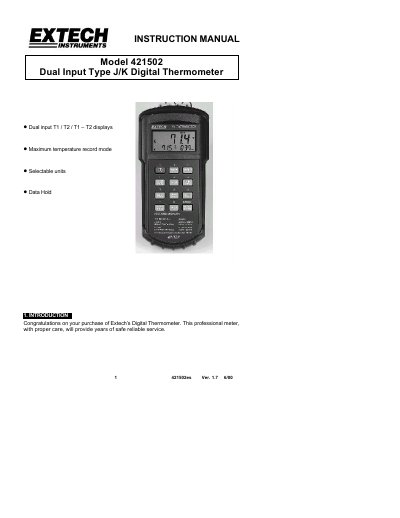
This is the user manual for the Extech 421502 dual-input digital thermometer, designed for professional use. It supports J and K type thermocouples, dual-channel temperature display, and features such as data hold, maximum temperature recording, and selectable units. The device includes a 5-digit LCD, auto power-off after 30 minutes of inactivity, and a water-resistant housing. It also offers alarm functions and timer capabilities for tracking temperature events.
The manual covers operation, including setting temperature units, selecting input modes (T1, T2, or T1-T2), configuring alarms, and using relative mode. It also explains battery replacement and calibration/repair services, along with warranty details and customer support contact information.
| Display | 5 digit LCD multifunction display |
|---|---|
| Battery | NEDA 1604, IEC 6F22, or 006P 9VDC battery |
| Auto Power Off | After approx. 30 mins. of inactivity |
| Dimensions | 7.5 x 3.6 x 2.1” (192x91x52.5mm) |
| J TC Range | -328 to 1922oF (-200 to 1050oC) |
| K TC Range | -328 to 2498oF (-200 to 1370oC) |
| Resolution | 0.1oC or 0.2oF |
| Accuracy | ±(0.05% rdg + 0.3oC) -50oC to 1370oC |
| Water Resistant Housing | Gasket protected front panel |
| Input Protection | 24VDC or 24VAC rms max. input |
| Ambient Operating Range | 32 to 122oF (0 to 50oC) |
Press the "C/F" key to toggle between °C and °F. The meter recalls the selected unit on next power-up.
It freezes the main display temperature value and shows the "HOLD" indicator. Pressing it again resumes normal operation.
Typical battery life is 100 hours with a carbon zinc battery.