
Sony HT-A9 Home Theatre System Startup Guide

This document is the instruction manual for installing the Sony HT-A9 home theater system. It includes the steps required to install the system, including installing the control box, connecting the TV and other devices, and adjusting the sound field.
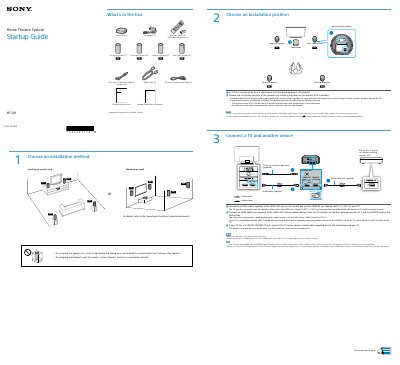

Sony HT-A9 Home Theatre System Startup Guide - cover page
Brand
SONY
Category
home theatre
Document type
Quick Start Guide
Language
English
Pages
2
File format
PDF
File size
759 KB
Published
17 October, 2023
Updated
17 October, 2023
MD5 checksum
CD21A03D55E18CFA0D6BA71731E93C1F

About this manual

This document serves as a Startup Guide for the Sony HT-A9 Home Theatre System. It details the contents of the box, including the control box, speakers, and cables. The guide explains how to choose an installation method (shelf or wall) and position the four speakers effectively for surround sound.

What's inside

  • What's in the box
  • Choose an installation method
  • Connect a TV and another device
  • Connect the control box and speakers to AC
  • Perform Initial Settings
  • Set up the remote control
  • Listen to sound

Frequently asked questions

What devices can be connected to the HT-A9 speaker system via HDMI?

Blu-ray Disc™ player, set-top box, gaming console, etc.

What HDMI cable is included with the HT-A9 system?

An HDMI cable (supplied) for connecting to the TV.

What must be enabled on the TV for the speaker system to output TV audio?

The Control for HDMI function must be enabled on the TV.

What is required to connect the speaker system to a TV for sound output?

The HDMI jacks labeled “eARC” or “ARC” must be connected to each other.

Download PDF (759 KB)

More SONY Manuals


View all SONY manuals →