
Garmin iQue 3600a Quick Reference Guide

iQue 3600a Quick Reference Guide
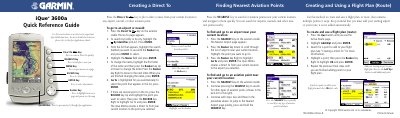

Garmin iQue 3600a Quick Reference Guide - cover page
Brand
Garmin
Category
Vehicle GPS
Document type
User Manual
Language
English
Pages
2
File format
PDF
File size
218 KB
Published
17 October, 2023
Updated
17 October, 2023
MD5 checksum
D61B32E1205CBB785D46C290BD2DF73F

About this manual

This document serves as a quick reference guide for the Garmin iQue 3600a aviation GPS unit. It provides step-by-step instructions for creating and using flight plans, including direct-to navigation and searching for nearby aviation points like airports and navaids. The guide also details how to activate saved routes and manage active flight plans.

What's inside

  • Creating a Flight Plan
  • Using Flight Plans
  • Selecting an Approach
  • Creating Waypoints
  • Viewing Airport Details
  • Changing Modes

Frequently asked questions

How does the iQue 3600a name a saved flight plan?

The device names the flight plan using its starting and ending points, such as 'KIXD-KSLN'.

What happens if I select Yes to activate vectors for an approach?

You will not see any active navigation until you are on your final approach.

How does the iQue 3600a switch modes automatically?

It switches to Automotive mode when inserted into an automotive cradle or Aviation mode in the Aviation cradle.

Download PDF (218 KB)

More Garmin Manuals


View all Garmin manuals →