
This user guide introduces the use of Evolis card printers.
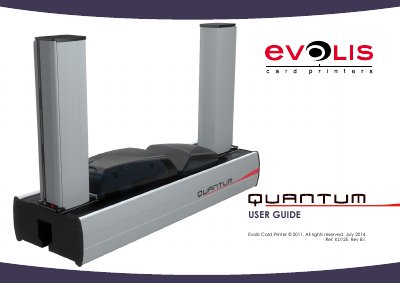
This user guide provides step-by-step instructions for installing and operating the Evolis card printer. It covers unpacking, connecting power and USB cables, loading cards and ribbons, and printer settings. The guide also includes technical specifications, supported platforms, and warranty information. Safety and maintenance tips are included to ensure proper use and longevity of the printer.
The printer supports color and monochrome printing, double-sided printing, and various card types. It includes a reversible encoding module for magnetic stripes and contactless smartcards. The guide emphasizes using only Evolis-supplied consumables to avoid damage and warranty voidance.
| Print Resolution | 300 dpi (11.8 dots/mm) |
|---|---|
| Print Speed (Color, 1 face) | over 150 prints/hour |
| Print Speed (Color, 2 faces) | over 115 prints/hour |
| Print Speed (Monochrome, 1 face) | over 1,000 prints/hour |
| Print Speed (Monochrome, 2 faces) | over 320 prints/hour |
| RAM | 16 MB |
| Card Feeder Capacity | 500 cards (0.76 mm or 30 mil) |
| Supported Platforms | Windows, Mac OS X 10.4+, Linux (on request) |
| Connection Types | USB & Ethernet TCP-IP |
Use only the VP ELECTRONIQUE Type PAC150M or PROTEK POWER Type PUP150N-14 power supply unit supplied with the printer.
No, using ribbons from other suppliers may damage the printer and void the warranty.
Use only ISO 7810 certified cards and those recommended by Evolis. Do not use damaged or folded cards.
The printer comes with cardPresso XXS software, which connects to Microsoft Excel databases.