
Key facts
- Manuals
- 8
- Categories
- 1
- Languages
- EN · JA · ZH
- Last added
- 2026-10-03
Featured Evolis manuals
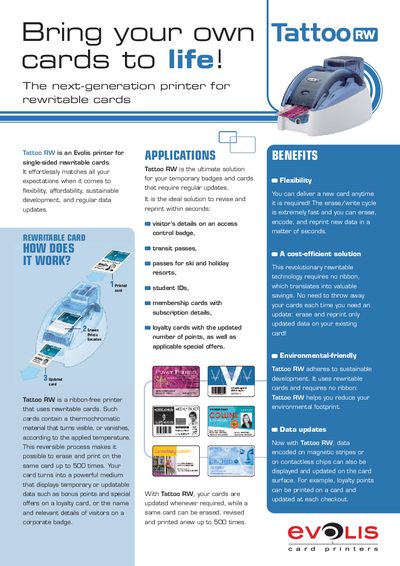
Evolis Tattoo RW Rewritable Card Printer Product Leaflet
The Tattoo RW is a next‑generation printer for single‑sided rewritable cards. It uses thermochromatic material that changes visibility with temperature, allowing cards to be erased and re‑printed up to 500 times. The printer is ribbon‑free and supports magnetic stripe and contactless encoding, making it ideal for temporary badges, loyalty cards, transit passes and other updatable applications.
The device offers 300 dpi direct‑thermal printing, USB and Ethernet connectivity, and a detachable feeder for 100 cards. It includes a 1‑button control panel, optional output hopper, and supports Windows XP/Vista (32‑ and 64‑bit). Technical specifications cover print speed, card format, power supply and environmental limits, and the unit comes with a two‑year warranty.
Covers: How does it work? · Applications · Benefits · Specifications · Encoding Options · Print Mode
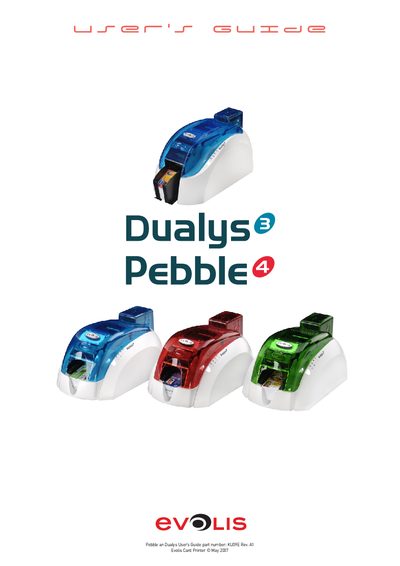
Evolis Pebble and Dualys Card Printer User Manual
This guide walks users through setting up the Evolis Pebble and Dualys card printers, describing the required accessories, power connections, and safety precautions. It explains how to install the printer, configure drivers, and prepare the device for printing and encoding tasks.
The manual also covers routine servicing, cleaning of the magnetic encoder, firmware updates, and troubleshooting common error messages. Technical specifications, optional accessories, and compliance information are provided for both Pebble and Dualys models.
Covers: Installation · Components Overview · Operation · Servicing and Maintenance · Technical Specifications · Magnetic Encoding
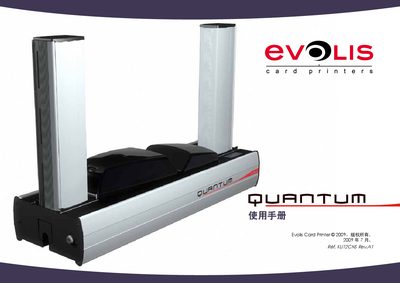
Evolis Card Printer User Manual
This manual provides step‑by‑step instructions for installing and operating Evolis card printers. It includes safety notices, warranty information, and details on the supplied accessories and consumables.
The document also lists technical data such as power supply options, USB cable length, and supported card specifications, helping users configure the printer for different regional power standards and card formats. This manual is written in Japanese.
Covers: Safety and Warranty · Packaging and Accessories · Printer Functions · Installation · USB Interface · Power Supply Options
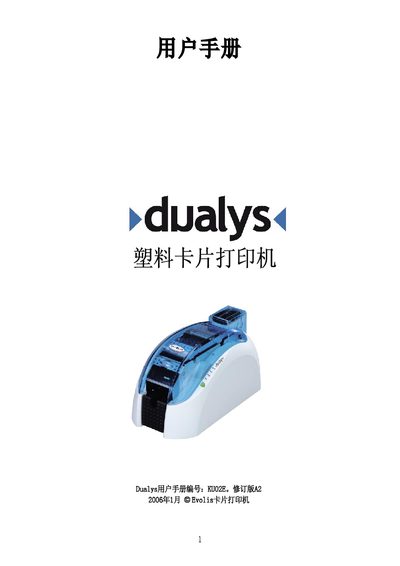
Evolis Dualys Plastic Card Printer User Manual
The Evolus Dualys is a plastic‑card printer designed for ID cards, badges, transit tickets and other double‑sided applications. This manual provides step‑by‑step instructions for unpacking, installing, loading cards and ribbons, and configuring the printer.
It also includes detailed cleaning procedures, troubleshooting tips, technical specifications and compliance information to help users maintain reliable operation. This manual is written in Chinese.
Covers: Introduction · First Use · Installation · Printing · Cleaning · Troubleshooting
Latest Evolis manuals
Evolis Tattoo RW Rewritable Card Printer Product Leaflet
Product Leaflet 2 pages · 211 KB · ENThe Evolis Tattoo RW is a ribbon‑free rewritable card printer that can erase, encode and reprint cards up to 500 times.
Evolis Pebble and Dualys Card Printer User Manual
User Manual 51 pages · 6.2 MB · ENThe Evolis Pebble and Dualys user guide provides installation, operation, maintenance and troubleshooting instructions for these card printers.
evolis pebble 4 Manual
Evolis Card Printer User Manual
User Manual 62 pages · 6.1 MB · JAOfficial user manual for Evolis card printers covering installation, operation, accessories and warranty.
Evolis Dualys Plastic Card Printer User Manual
User Manual 47 pages · 7.3 MB · ZHOfficial user manual for the Evolis Dualys plastic card printer, covering setup, operation, cleaning and troubleshooting.
Evolis Pebble Plastic Card Printer User Manual
User Manual 41 pages · 7 MB · ZHThe Evolis Pebble user manual provides setup, operation, cleaning, troubleshooting, and specifications for the plastic card printer.
evolis Pebble Manual
Evolis Quantum User Manual
User Manual 62 pages · 6.1 MB · ZHThe Evolis Quantum user manual provides setup, operation, and maintenance instructions for the card printer.
Which document do I need?
User Manual
Day-to-day operation, settings and troubleshooting. Start here if the product is already set up.
Questions answered in Evolis manuals
How many erase/write cycles can the Tattoo RW card handle?
A rewritable card can be erased and re‑printed up to 500 times.
From: Evolis Tattoo RW Rewritable Card Printer Product Leaflet
Does the Tattoo RW require a ribbon for printing?
No, the Tattoo RW is a ribbon‑free printer.
From: Evolis Tattoo RW Rewritable Card Printer Product Leaflet
How do you clean the magnetic encoder?
Run a cleaning sequence with pre‑saturated cards; the cleaning card passes through the transport rollers, cleaning roller and encoder head.
Which power supply should be used with Pebble and Dualys printers?
Only use the supplied power supply, VP ELECTRONIQUE or SWITCHBOX Type F10723‑A or EA10723.
What warranty information is provided?
The manual includes a warranty section that outlines the conditions and limitations of the Evolis printer warranty.
What power voltage options are available for the printer?
The printer can be configured for 220 V (Europe, UK) or 110 V (USA) power supplies.