
HP iPAQ S600 Pocket PC Phone User Manual

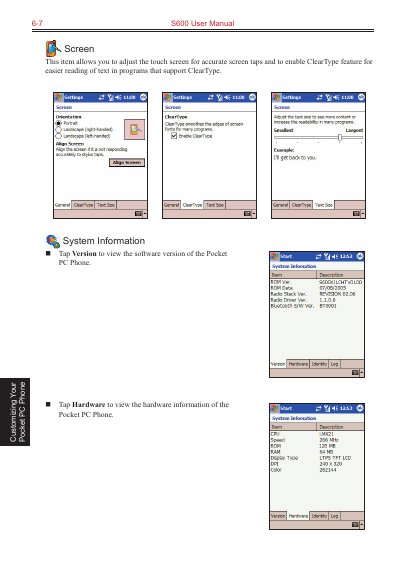
This file is about the S600 user manual, including screen customization, system information, memory, backup, wake up screen, about, power and other contents.

HP iPAQ S600 Pocket PC Phone User Manual - cover page
Brand
HP
Category
Mobilephone Accessories
Document type
User Manual
Language
English
Pages
24
File format
PDF
File size
2.8 MB
Published
17 October, 2023
Updated
17 October, 2023
Model
S600
MD5 checksum
7A251F4806187EAB0E0F7B5580A7E5F5

About this manual

This manual covers the customization of the HP iPAQ S600 Pocket PC Phone, including adjusting the touch screen, viewing system information, and managing power settings to extend battery life. It details how to monitor battery status, use power-saving tips, and manage the allocation between storage and program memory.

What's inside

  • Customizing Your Pocket PC Phone
  • Managing Power
  • Managing Memory
  • Finding and Organizing Information
  • Backing up Data
  • Restoring Data
  • Adding or Removing Programs
  • Microsoft Pocket Outlook

Specifications

Data Retention Time72 hours

Frequently asked questions

How long can the phone retain data after the battery runs out?

The Pocket PC Phone can retain data for 72 hours after its battery runs completely out of power.

How long should I charge the battery after a low power warning?

You should charge the battery for at least 30 minutes to one hour upon a warning of low power.

Download PDF (2.8 MB)

More HP Manuals


View all HP manuals →