
Pentair IntelliFlo3 VSF and IntelliPro3 VSF Touchscreen Controller Installation Guide

This guide provides instructions for installing the IntelliFlo3 VSF or IntelliPro3 VSF Variable Speed and Flow Pump Touchscreen Controller. Follow the instructions below to ensure proper installation. Installing the Touchscreen Controller allows for complete control of pump scheduling and programming of other pump features directly from the pump drive.
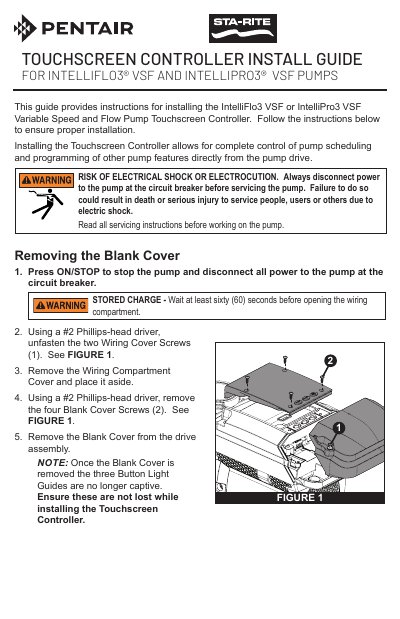

Pentair IntelliFlo3 VSF and IntelliPro3 VSF Touchscreen Controller Installation Guide - cover page
Brand
Pentair
Category
Other
Document type
Installation Guide
Language
English
Pages
2
File format
PDF
File size
659 KB
Published
16 October, 2023
Updated
16 October, 2023
MD5 checksum
1A33A6C0BBCAFDDA43957B9272695BD4

About this manual

This guide provides step-by-step instructions for installing the Touchscreen Controller on IntelliFlo3 VSF or IntelliPro3 VSF Variable Speed and Flow Pump drives. It covers the removal of the blank cover and the installation of the new controller unit.

What's inside

  • Removing the Blank Cover
  • Installing the Touchscreen Controller
  • Safety Precautions

Frequently asked questions

How long must I wait before opening the wiring compartment after stopping the pump?

You must wait at least sixty (60) seconds before opening the wiring compartment.

What tool is required to remove the Blank Cover Screws?

A #2 Phillips-head driver is used to remove the four Blank Cover Screws.

What should be done with the Button Light Guides after removing the Blank Cover?

Ensure these guides are not lost while installing the Touchscreen Controller.

Download PDF (659 KB)

More Pentair Manuals


View all Pentair manuals →