
Polycom VSX 7000 Video Conferencing System User Guide

This user guide describes the basic system features and how to use them.
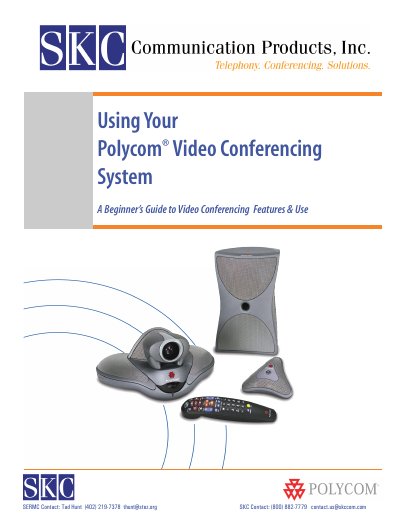

Polycom VSX 7000 Video Conferencing System User Guide - cover page
Brand
Polycom
Category
Video Game Consoles
Document type
User Manual
Language
English
Pages
18
File format
PDF
File size
3.1 MB
Published
16 October, 2023
Updated
16 October, 2023
MD5 checksum
AEABF511B963710CB33A6AFD203BF631

About this manual

This document serves as a beginner's guide for the Polycom VSX 7000 video conferencing system, detailing the included components such as the set-top codec, microphone, and subwoofer. It provides instructions on equipment placement and connecting various cables including S-Video, LAN, and power cords.

What's inside

  • What's Included with Your VSX 7000
  • Using the Remote Control
  • Setting Up the VSX 7000
  • Placing, Answering & Ending Video Calls
  • Volume & Mute Control
  • MultiPoint Video Calls
  • Cameras & Camera Presets
  • Sharing PC Content
  • Full Screen and Picture-in-Picture Viewing
  • Do Not Disturb Setting

Specifications

Camera TypeBuilt in pan/tilt/zoom camera with auto focus
Microphone Pickup360° pick up
Remote Battery3 - AAA batteries
Mic Pod Distanceat least 3' from the system

Frequently asked questions

Where should the VSX 7000 codec be placed?

Place the VSX 7000 codec on the monitor, or a shelf directly above the monitor.

How many mic pods can the VSX 7000 support?

The VSX 7000 supports up to 3 total add-ons, which can be either 3 mics total, or 2 mics & Visual Concert VSX.

What is the function of the center push-to-mute button?

The center push-to-mute button turns red when muted.

Download PDF (3.1 MB)

More Polycom Manuals


View all Polycom manuals →