
NMS-1000V is PLANET network management system, which supports multiple network protocols and provides device management, network monitoring, fault troubleshooting and other functions
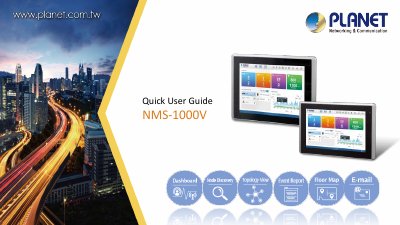
The PLANET NMS-1000V is a network management system designed for enterprise environments, offering features such as dashboard monitoring, node discovery, topology viewing, and alarm systems. It supports scalability for managing up to 1024 managed APs and 20,000 clients, along with built-in DHCP and RADIUS servers for seamless network integration.
| Touch LCD Size | NMS-1000V-12: 12.1" TFT-LCD; NMS-1000V-10: 10.1" TFT-LCD |
|---|---|
| Display Resolution | NMS-1000V-12: 1024 x 768; NMS-1000V-10: 1280 x 800 |
| Storage | 2.5" 32G SATA3 HDD |
| Network Ports | 2 10/100/1000BASE-T Gigabit Ethernet RJ45 ports |
| USB Ports | 2 USB 3.0 ports |
The system supports up to 1024 managed APs.
Yes, it includes a built-in RADIUS server for enterprise network integration.
The display supports 160 degrees horizontally and 140 degrees vertically for the 12.1" model, and 160 degrees for both horizontal and vertical for the 10.1" model.