
Key facts
- Manuals
- 6
- Languages
- EN
- Last added
- 2026-10-01
Featured Planet manuals
Planet Cam Viewer 3 Pro User Manual
This manual covers all aspects of the Cam Viewer 3 Pro software, starting with system requirements and hardware recommendations, followed by step‑by‑step installation instructions. It then details the configuration wizard for setting up cameras, channels, PTZ presets, and intelligent motion detection.
Further sections describe client‑viewer functions such as live view, layout adjustment, playback, E‑Map monitoring, backup options, recording schedules, user account management, and event handling (mail, FTP, HTTP, TCP, alarms, etc.). An appendix lists the full technical specifications of the software.
Covers: System Requirements · Software Installation · Configuration Wizard · Client Viewer Functions · Event Handling · E‑Map Monitor
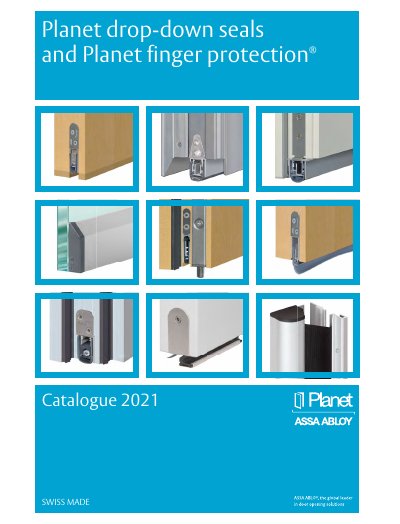
Planet Drop-Down Seals and Finger Protection SWISS MADE Catalog
The Planet catalogue presents the drop‑down seals and Finger Protection® product families, describing their design, material options, acoustic performance and fire‑rating features. It includes company history, innovations, and detailed technical specifications for each profile type.
The document also provides ordering information, accessories, installation tips, warranty terms (7‑year warranty) and contact details for Planet GDZ AG in Switzerland.
Covers: Company History · Innovations · Product Overview · Technical Specifications · Accessories & Options · Warranty & Terms
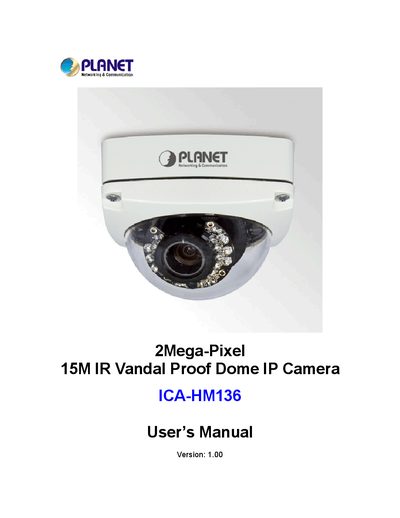
Planet ICA-HM136 User Manual
The ICA‑HM136 is a 2‑Mega‑Pixel, 15 m IR vandal‑proof dome IP camera with PoE support, 2‑way audio, and IP66 weather‑proof housing. It offers H.264, MPEG‑4 and MJPEG video streams, a vari‑focal 2.7‑9 mm lens, and built‑in IR LEDs for night vision.
This manual covers hardware installation, network configuration, web‑based management, live view, and advanced settings such as motion detection, DDNS, and firmware updates, along with detailed product specifications and troubleshooting guidance.
Covers: Overview · Basic Setup · Web‑based Management · Live View · Configuration · Event List
PLANET ICA-M220/IC-M220W USER MANUAL
This manual explains how to install, configure, and operate the Planet ICA-M220 and ICA-M220W Mega‑Pixel CMOS PT Internet Camera. It covers hardware installation, network setup, wireless configuration, and advanced features such as motion detection and pan/tilt control.
Key sections include basic setup, system requirements, hardware installation, IP address discovery, web‑based management interface, network and wireless settings, motion detection configuration, and detailed specifications in the appendix.
Covers: Overview · Package Contents · Basic Setup · Hardware Installation · IP Address Discovery · Utility Installation
Latest Planet manuals
Planet Cam Viewer 3 Pro User Manual
User Manual 119 pages · 16.2 MB · ENThe Planet Cam Viewer 3 Pro User Manual provides installation, configuration, and usage instructions for the Cam Viewer software.
Planet Drop-Down Seals and Finger Protection SWISS MADE Catalog
Product Leaflet 280 pages · 49.6 MB · ENTechnical catalogue for Planet drop‑down seals and finger‑protection products with specifications, accessories and warranty information.
PLANET FST-801 FST-802 FST-802S15/802S35/802S50 FST-806A/806B20 User's Manual
This is a manual for PLANET FST-801 FST-802 FST-802S15/802S35/802S50 FST-806A20/806B20 10/100Base-TX to 100Base-FX Smart Media Converter
Planet ICA-HM136 User Manual
User Manual 72 pages · 4.5 MB · ENThe Planet ICA-HM136 user manual provides setup, configuration, and specifications for the 2‑Mega‑Pixel outdoor IR dome IP camera.
PLANET ICA-M220/IC-M220W USER MANUAL
User Manual 74 pages · 2.8 MB · ENThe Planet ICA-M220 / ICA-M220W User Manual provides setup, configuration, and operation instructions for the Mega‑Pixel CMOS PT Internet Camera.
Planet NAS-7201 User Manual
User Manual 66 pages · 4.6 MB · ENThe Planet NAS-7201 User Manual provides setup, configuration, and maintenance instructions for the 2‑Bay SATA NAS RAID server.
Which document do I need?
User Manual
Day-to-day operation, settings and troubleshooting. Start here if the product is already set up.
Questions answered in Planet manuals
What is the warranty period for Planet drop‑down seals?
Planet offers a 7‑year warranty on its drop‑down seals.
From: Planet Drop-Down Seals and Finger Protection SWISS MADE Catalog
What sound absorption value can be achieved with the seals?
The seals provide up to 48 dB of sound absorption when the gap to the floor is 7 mm.
From: Planet Drop-Down Seals and Finger Protection SWISS MADE Catalog
What is the IR illumination distance of the ICA‑HM136?
The camera’s infrared LEDs provide illumination up to 15 meters.
How much power does the camera draw when the IR LEDs are on?
It consumes a maximum of 9 W while the IR LEDs are on.
How can I locate the IP address of the ICA-M220 camera?
Use the utility described in section 2.3.2 “Locate the IP Address of this IP Camera”.
What wireless standards does the ICA-M220W support?
The ICA-M220W supports IEEE 802.11b, 802.11g, and 802.11n.