
This document is a user manual for ATC-1000, which introduces the hardware installation, software installation and configuration methods of the product.
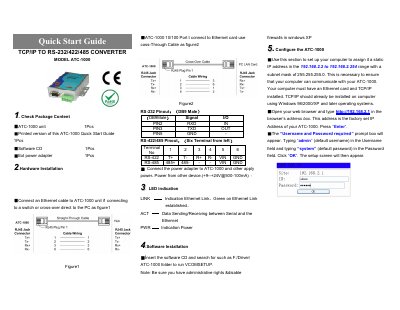
This document is a Quick Start Guide for the ATC ATC-1000, a converter designed to bridge TCP/IP Ethernet connections with RS-232, RS-422, and RS-485 serial interfaces. The guide outlines the necessary hardware components included in the package and provides instructions for physical installation, including connecting the Ethernet cable and the power adapter.
| Power Input | +9--+24V@500-100mA |
|---|---|
| Factory IP Address | 192.168.2.1 |
| Default Username | admin |
| Default Password | system |
The factory set IP Address of the ATC-1000 is 192.168.2.1.
The default username is admin and the default password is system.
The unit supports a power input range from +9V to +24V.