
This is an instruction manual that explains how to set up the Futaba 14MZ receiver, including connecting different servos, choosing the model type and swash type, and selecting the frequency.
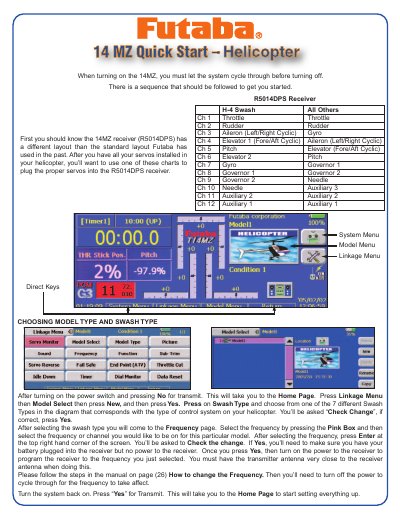
This document serves as a quick reference manual for the Futaba 14MZ helicopter radio system. It provides essential information on connecting servos to the R5014DPS receiver and guides users through the initial setup process, including selecting the correct swash type and frequency. The guide also details how to rename models and configure basic settings.
| Receiver Model | R5014DPS |
|---|---|
| Model Name Length | 32 Characters |
| Compatible Gyros | FUTJ9405, FUTJ9408, FUTJ9411 |
Go to the Home Page, press Linkage Menu, then Model Select, press New, and choose the swash type from the diagram that matches your control system.
From the Home Page, press Model Menu, select Condition Select, press Add, select the switch, and press the On Posi for the on position.
Press Model Menu, select Pit Curve, press the Gr. box to change to single, and repeat for THR Curve and AFR settings.