
This document is the user manual for FSU2. It mainly introduces the function, operation method and precautions of FSU2. FSU2 is an auxiliary safety device that can check the pulse signal from the receiver by CPU and turn on the fail safe (F/S) function if the pulse is disturbed by interference. When the power supply voltage drops, a battery fail safe (B-F/S) function turns on and moves the throttle servo to the preset position (brake or engine slow).
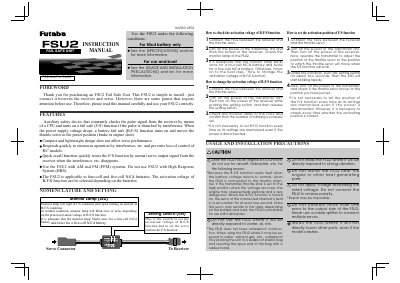
The Futaba FSU2 is an auxiliary safety device that constantly checks pulse signals from a receiver using a CPU. It activates a fail-safe (F/S) function if the signal is disturbed by interference and includes a battery fail-safe (B-F/S) function that moves the throttle servo to a preset position when power voltage drops.
The manual details installation precautions, such as connecting between the receiver and servo, setting activation voltages for 4-cell or 5-cell NiCd batteries, and configuring the F/S servo position. It also describes operational modes, including normal relay operation, interference response, and battery voltage drop handling.
| Operating voltage | 3-7V |
|---|---|
| Current drain | Approx. 10mA |
| Input/output pulse width | 900-2140µsec |
| Size / Weight | 15.8x21.8x7.7mm / 6g |
The FSU2 is applicable to four-cell and five-cell NiCd batteries only.
The B-F/S function turns on and moves the throttle servo to the preset position for about one second.