
This document describes the steps for lamp replacement, including turning off the power, removing the front cover, removing the old lamp, installing the new lamp, and resetting the lamp usage time.
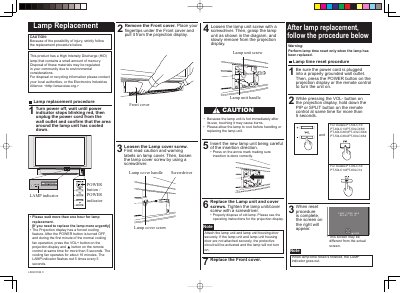
This document provides step-by-step instructions for replacing a High Intensity Discharge (HID) lamp unit in a Panasonic projection display. It includes critical safety cautions regarding the hot lamp and mercury content, as well as a specific procedure for urgent replacement if the unit has not fully cooled. The guide details how to remove the front cover, unscrew the lamp unit, insert the new lamp, and reassemble the device.
This product has a High Intensity Discharge (HID) lamp that contains a small amount of mercury.
You must wait more than one hour for the lamp to cool down before handling or replacing the lamp unit.
The limited warranty covers the lamp unit for one year from the date of original purchase.