
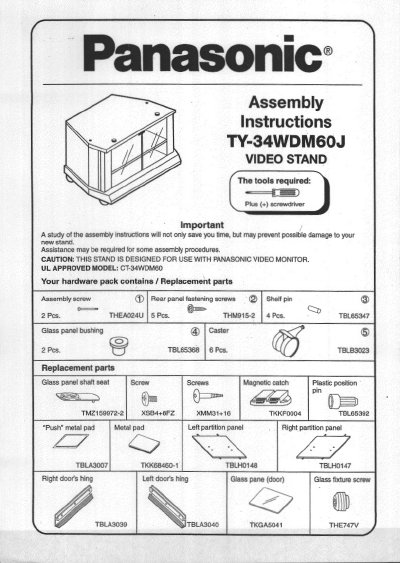
Panasonic TY-34WDM60J Video Stand Assembly Instructions


Panasonic TY-34WDM60J Video Stand Assembly Instructions - cover page
Brand
Panasonic
Category
Other
Document type
Other
Language
English
Pages
4
File format
PDF
File size
719 KB
Published
03 August, 2012
Updated
03 August, 2012
MD5 checksum
2F2AE2CB8C20255F0B14F09F1128C48D

About this manual

This document provides assembly instructions for the Panasonic TY-34WDM60J video stand. It lists the required tools and hardware components, including replacement parts, and details the steps for assembling the panels, attaching casters, installing the shelf, and mounting the glass doors. The guide emphasizes using a plus screwdriver and avoiding electric powered screwdrivers to prevent damage.

What's inside

  • Assembly
  • Placement
  • Replacement Parts
  • Attaching Casters
  • Attaching Shelf Panel
  • Attaching Rear Panel
  • Attaching Glass Doors

Specifications

Compatible ProductPanasonic Video Monitor
UL Approved ModelCT-34WDM60
Shelf Levels2 levels

Frequently asked questions

What tools are required for assembly?

A plus (+) screwdriver is required for assembly.

Can electric powered screwdrivers be used?

No, electric powered screwdrivers should not be used.

Where should the stand be placed?

The stand should not be exposed to direct sunlight, extreme temperatures, or moisture.

Download PDF (719 KB)

More Panasonic Manuals


View all Panasonic manuals →