
The Extech Hygro-Thermometer Pen Model 445580 is an instrument for measuring relative humidity and temperature, featuring a high precision thin-film capacitance type relative humidity sensor and a temperature range from -10 to 50 degrees Celsius (14 to 122 degrees Fahrenheit).
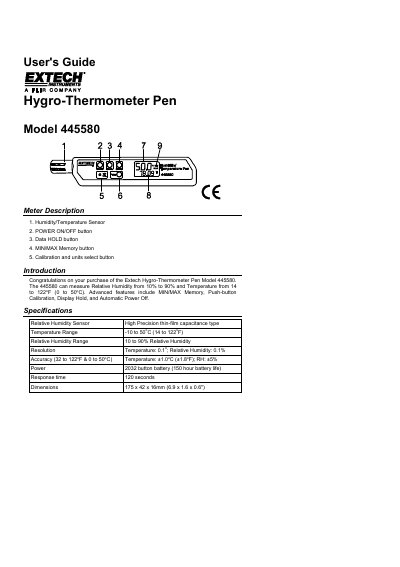
This manual provides instructions for the Extech Model 445580 Hygro-Thermometer Pen, a device used to measure relative humidity and temperature. Key features include MIN/MAX memory, data hold, and push-button calibration. The device operates on a 2032 button battery and includes an automatic power-off feature.
| Relative Humidity Range | 10 to 90% Relative Humidity |
|---|---|
| Temperature Range | -10 to 50°C (14 to 122°F) |
| Resolution | Temperature: 0.1°; Relative Humidity: 0.1% |
| Accuracy | Temperature: +1.0°C (+1.8°F); RH: +5% |
| Power | 2032 button battery (150 hour battery life) |
| Response time | 120 seconds |
| Dimensions | 175 x 42 x 16mm (6.9 x 1.6 x 0.6") |
Error E2 indicates a calibration error, and recalibration is necessary.
Error E5 indicates a relative humidity sensor failure, requiring repair or replacement.
The meter automatically shuts off after approximately 20 minutes.
The meter must stabilize for 40 minutes during the calibration process.