
This document is the user manual of 407119A hot wire anemometer, which introduces the features and characteristics of the product.
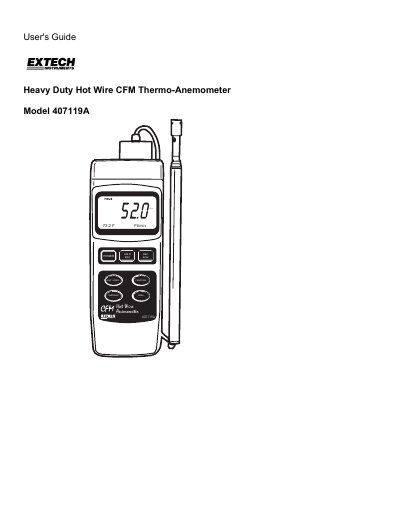
The Extech 407119A is a heavy-duty hot wire thermo-anemometer designed to measure air velocity, air volume (CFM/CMM), and air temperature. It features a combination hot wire probe and thermistor sensor, a telescoping antenna for accessing grills and diffusers, and a dual-function 5-digit LCD display. The device supports multiple units of measurement and includes features such as data hold, max/min recording, and averaging up to 20 readings.
| Operating Temperature | 32 to 122°F (0 to 50°C) |
|---|---|
| Operating Humidity | Max. 80% Relative Humidity |
| Power Supply | Four (4) 'AA' 1.5V batteries or optional AC adaptor |
| Weight | 1.15 lbs. (521g) with batteries installed |
| Air Velocity Range (m/s) | 0.2 – 17.0 m/s |
| Air Temperature Range | 32 to 122°F (0 to 50°C) |
| Data Output | RS-232 PC serial interface with 16-bit data stream output |
Extech warrants the instrument to be free of defects in parts and workmanship for three years from the date of shipment.
Press and hold the POWER button until the meter switches off.
Yes, you can temporarily disable it by pressing the REC button to enter RECORD mode, or permanently disable it via the advanced programming section.
The Average feature allows you to store and average up to 20 readings.