
This is a quick reference guide that introduces the basic operations of EPHD08 HD DVR, including system LED, operation elements, Express menu, camera menu, record and playback menu, alarm and event menu, schedule task, system settings and system information menu
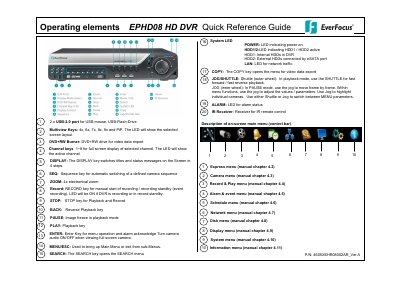
This document serves as a quick reference guide for the EverFocus EPHD08 HD DVR. It lists the physical operating elements on the front panel, including keys such as RECORD, STOP, PLAY, PAUSE, JOG/SHUTTLE, and various menu navigation buttons like MENU/ESC, ZOOM, SEARCH, and COPY. The guide also describes the function of system LEDs for power, HDD status, network traffic, and alarm conditions.
The default resolution of the DVR is 1920x1080.
Press the multiview keys to switch between full screen, sequence view, and other multiscreen layouts.
Recording starts directly after the recorder has booted; there is no separate LED or display.