
3M S10 Multimedia Projector Quick Start Guide

S10 Quick Start Guide, introduces the unboxing configuration, usage methods, precautions and other information of the projector.
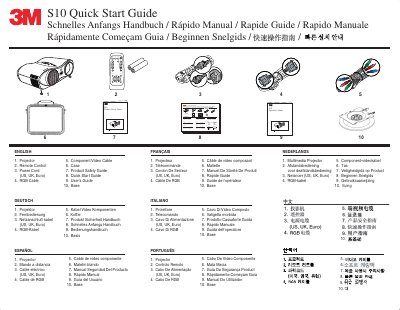

3M S10 Multimedia Projector Quick Start Guide - cover page
Brand
3M
Category
Projector
Document type
User Manual
Language
English
Pages
5
File format
PDF
File size
2.1 MB
Published
06 July, 2012
Updated
30 September, 2023
Model
S10
MD5 checksum
312C830767CF1914C20E857C863C6951

About this manual

The document serves as a multilingual quick start guide for the 3M S10 multimedia projector. It details the included components such as the remote control, power cord, and various cables (RGB, Component Video). The guide explains how to connect the projector to audio and video sources like computers.

What's inside

  • Included Components
  • Remote Control Buttons
  • Setup Instructions
  • Maintenance
  • Lamp Replacement

Frequently asked questions

How often should the air filter be cleaned?

The air filter must be cleaned every 100 hours of operation.

What is the address for 3M Austin Center?

The address is Building Al145-SN-01, 6801 River Place Blvd., Austin TX 78726-9000.

Download PDF (2.1 MB)

More 3M Manuals


View all 3M manuals →