
Meteor Mic is a professional USB studio condenser microphone with a large 25mm diaphragm and a full digital signal chain, featuring high-quality onboard digital converters and a USB interface, as well as a headphone output with level control for zero-latency monitoring.
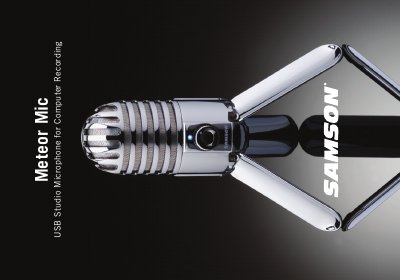
The Samson Meteor Mic is a professional USB studio condenser microphone featuring a large 25mm diaphragm and onboard digital converters. It includes a headphone output with level control for zero-latency monitoring and a built-in mute switch, designed to work with Mac and PC computers without requiring special drivers or external power supplies.
This manual covers the introduction of the product features, detailed layout descriptions including the capsule, windscreen, and LED indicators, step-by-step installation instructions, quick start guide, recording techniques, and full technical specifications.
It is a professional studio condenser microphone with a large diaphragm that connects via USB.
The microphone features a 1-inch (25mm) diaphragm capsule housed in a die-cast fold-up body.
The blue light indicates power, amber shows the microphone is muted, and flashing red means the input signal is clipping.